Showing posts with label Business Stuff. Show all posts

26 February 2016

GoFundMe Project - Games and Technology in the Classroom


Greetings, everyone!

My name is Chandra Martin, a brand new teacher with 3 years’ experience.  I love working with children all of ages, particularly the younger students. I'm fulfilling my dream of becoming a teacher. I want to raise money to purchase a Portable Interactive Whiteboard and projector. This will allow me to create better interactive games for students and teachers in the classroom all over the world.  =)

     
At the end of my 3rd year of teaching in NC, I started having seizures at random times. Because of this and to not traumatize any students, I made the ultimate decision to stop teaching in the classroom until I know why the seizures are occurring. I was heart-broken and miss it terribly every single day. I have a few pictures from my classroom trip the a Natural History Museum.
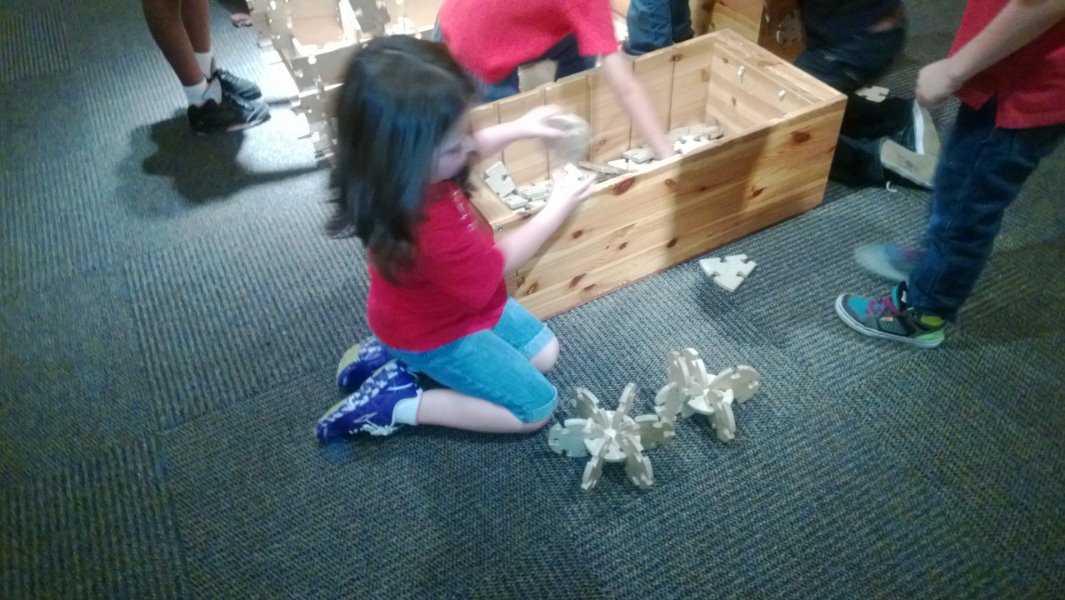
A past student on a field trip to a museum.
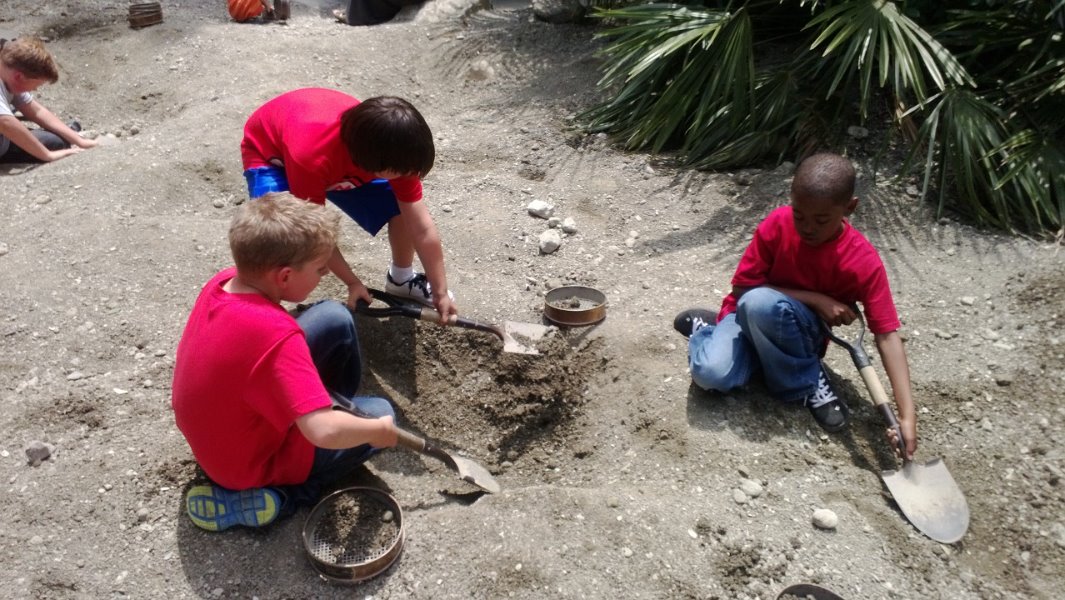

Students searching for fossils at the museum.

 I wanted to continue to inspire and pass on the values I have learned thus far in my lifetime so I decided to open a small TeachersPayTeachers store. I started to make money and also help children grow and learn from afar. Although the money has been helpful, it cannot pay for all the medical bills that continue to pile up. I barely made the funds to make ends meet, but with the help of my store, it has slowly helped. Thankfully, nothing horrible has been found (no tumors, diseases, or cancer) and am continuing to find out why these seizures occur. 

My TeachersPayTeachers Store Business Card.

I want to raise money to purchase a Portable Interactive Whiteboard and Epson projector from Amazon.com or Staples/OfficeMax. This will allow me to creative better interactive games for students and teachers in the classroom.  As a child, I often struggled in school, especially reading, but with the help of my teachers, I was able to receive my diploma and my Bachelor’s degree in Education.
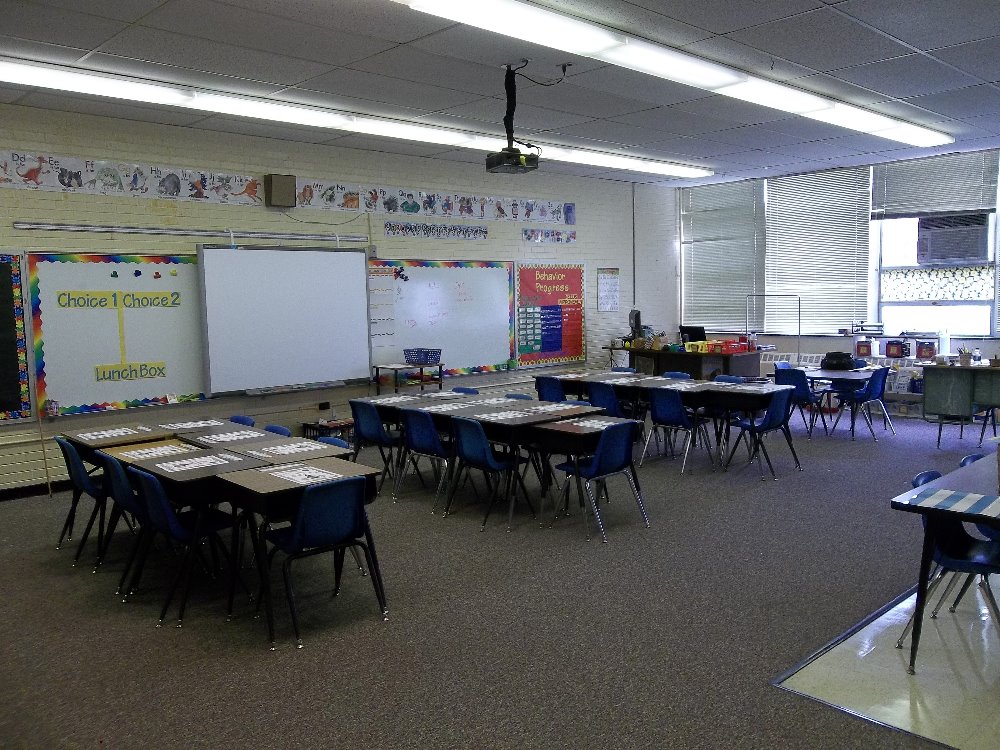


My 2nd grade classroom in 2013.

I'm having a Chain-link Challenge! For every $1 donated, I will connected 25 paper chain-links together. Each chain link represents each students. The average class size ranges from 20 to 30 students so $1 donated equals 1 classroom you have helped. The more you donate the more chain links I connect and the more students you help!

Here's a video better explaining the challenge:


If you could help me, I would greatly appreciate it. I cannot go to Donorschoose because I am not currently in the classroom. I would love to receive the funds to make this wonderful dream purchase as soon as possible. I would be grateful for any donation you make. You will make a difference in my life and countless children all over the world.

If you'd like to make a donation, you can donate here on my official page.

27 January 2016

5 Fantastic Tricks & Tips - Alignments


Welcome to my 5-part series of  "5 Fantastic Tricks & Tips". This series shows you some awesome tricks and tips for building your PowerPoint presentations. Posts go up every Wednesday. 

Today, I'll show you all about alignments.

What do I mean by alignments? In terms of PowerPoint, it's where objects, pictures, and text boxes are located on a slides. It can be on the left or right side, the bottom or top, or in the center. If you like to have all your objects perfectly aligned, this is the tool for you. Making sure everything is straight can be nerve-wrecking, but with a few clicks, everything will be as you like it.


To align objects, first select the objects you wish to align. Next, click on "Format" and choose how you wish to align your objects. There are many options to choose from.


There are several options to choose from. You can align objects to the:
  • left, center, right
  • top, middle, bottom


You can also distribute objects so that they are evenly spaced out horizontally and vertically. Simply click on all the object you wish to space out evenly and distribute horizontally or vertically.

Another way to help with alignment is to use guidelines on the slide.


Guidelines can be used to help place clip art and pictures onto a slide. The guidelines will appear on all the slides, but won't appear when you print out the slides or play the PowerPoint in slideshow mode.

To turn on the guidelines, click on "View" and check the box labeled "Guidelines". There's also options for a ruler (similar to the ruler in Microsoft Word) or a guide (1 vertical and 1 horizontal line).


I hope these tips come in handy! They're a big help when you create product covers, worksheets, games, and other teaching materials. Please share & comment if this was helpful Don't forget to check out Part 1: Selection Pane and Part 2: Using Sections.


20 October 2015

Milestone Celebration! Win a TPT Gift Card!

 photo Blog Header_zpsgb1uhft4.png

It's time for a celebration! A HUGE celebration!! I made the first official TPT milestone which is $20,000 in sales. I'm not a big person on numbers. I appreciate the 1st sale, the 59th sale, and the 781th sale.

I want to take a moment to thank you!

Thank you to every person who went to my TPT store whether you purchased an item, downloaded a freebie, or just pasting through.

Thank you to my loyal followers (both old and new) who have stayed with me from the beginnings and through the hard times.

Thank you for everyone reading my blog posts. I know I don't write much, but I'm working on it! =P

Thank you to my family and friends through thick and thin and putting up with my spontaneous but fun behavior.

Thank you God and Jesus who has blessed me with the creative talent to help so many teachers and countless number of students.

Thank you TPT. Without TPT, I don't where I would be. You have made me a better person and a better teacher.

The best way (besides saying thank you) is to have a giveaway! 2 lucky followers will receive a $25 TPT gift. The giveaway lasts 2 weeks with daily entries!


 photo Flyer Instagram_zpsov0pwd9i.png

a Rafflecopter giveaway

27 September 2015

Managing your TPT Store with the Ultimate Planner!


Planning your TPT store can be a hassle. Finding the right planner can be even more of a hassle. With so many things to manage and so many different forms to choose from, I decided to make one for myself!


In 2014-2015, I created a planner to help my TPT business. You can read about the previous TPT seller here. It's been over a year since I made it and many things have changed including my store colors, logos, and new social media. I've made a similar planner for TPT sellers in my TPT store. I uploaded it and designed it online at Office Depot/Office Max. It arrived on the second to last day of estimated delivery but there was something wrong: it was all in color. I wasn't going to complain. I paid for only a few pages to be in color and the rest black and white. Believe me when I say getting 150+ pages in color can be expensive ($70 and up). I was happy with the mistake.

Here's the cover. It's in my store colors. It's a "Glossy Supreme" Cardstock cover.

 photo IMG_1516_zpsjl2ufqhn.jpg


The next page includes my store information. After that, the next page includes the table of contents and "The Dream". The "Table of Contents" is wrong, but I knew only a few people would actually see it. Never imagined Office Depot would send me an extra one. "The Dream" is a story about myself and why I became a teacher in the first place. Sort of motivation.

 photo IMG_1517_zps8lvkqq2s.jpg


The next page started the actual planner. It includes the months from September 2015  to September 2016. Each month is in color, lists all the major holidays, the start of a new season, and reminders of when a new month of promotions opens up on TPT (the 20th of every month). Since this was mine, I added in a few reminders for myself (like mini game releases every 15th of the month). It also includes a "Notes" section for you to write down any notes for that month. I use it to write down product topics that sell really well that month. At the bottom, there's a quote to help motivate you.

 photo IMG_1518_zpsl2slevle.jpg

 photo IMG_1522_zpsrmpczkgu.jpg

 photo IMG_1523_zpshqv7acgn.jpg

 photo IMG_1524_zpsfptrifur.jpg

 photo IMG_1525_zpst0ycsjbi.jpg

 photo IMG_1526_zpszmdag3ef.jpg

 photo IMG_1527_zpstu05blhr.jpg

 photo IMG_1528_zpsbfnxjksv.jpg

 photo IMG_1529_zpslowuggoo.jpg

 photo IMG_1530_zpszdzwrkb4.jpg

 photo IMG_1531_zpshfrgxcxh.jpg

Behind each month is a set of different sheets. First is the Monthly Blog Planner and the Monthly Giveaway Planner.

 photo IMG_1519_zpsexqj1zy1.jpg

The Monthly Blog Planner lays out every single day of the month and allows you plan when you wish to write a new blogpost. This is great for long term planning and if you participate in blog hops, linky parties, and more.

The Monthly Giveaway planner helps to remind you of any giveaways you signed up for or plan to do. This is perfect for tax time because every donation your make or giveaway you do is tax deductible.

Next pages include the Weekly Planner and the Monthly Overview.

 photo IMG_1521_zps8kpnabqe.jpg

In the Weekly Planner, there are 5 pages for the Weekly Planner (one for each week of the month). Each sheet has a space for each day of the week and what product you'd like to work on. I tend to work on one project a day. There is space to write upcoming events (suchs as sales, giveaways, blog hops, etc). I made a "Games to Post" section to write what I needed to post. A helpful reminder. Last, there's space to let you know what blog posts are going out this week.

The monthly Overview is probably my favorite page! Here you can write down and keep track of your business each month. This includes followers on your social media pages, number of products and best sellers in your store, your income and expenses,  and TPT rankings. There's even an area for notes. You can read about taking end of the month inventory here.

The next section is a List of Ideas. Here you can write down any ideas you have throughout the year. There are 4 pages.

 photo IMG_1532_zpsnwwbcvdu.jpg

The next pages are lists of things to do "Before Posting a Product" and "After Posting a Product".

 photo IMG_1533_zps9inpvcal.jpg

These are reminders of what to do for your TPT products. It can be a little overwhelming so this will help to make sure your product is safe and protected. It also helps to get your product out there. You read more about "After Posting a Product" here.

Next, we have the "Weekend To-Do List" and "Game Requests".


 photo IMG_1534_zpsrhkautaa.jpg

Although I usually leave the weekends for family time, using the "Weekend To-Do List" is a great time to catch up on some things.

The "Game Request" page I made for myself because I am always asking my followers what they are working on and what they need. Sometimes they'll request a game and I write it down but lose it. This helps tremendously!

Next, we have pages where you can list your Short Term and Long Term goals. Pretty self exclamatory.

 photo IMG_1536_zps7fcwcsom.jpg

Next is the "Graph Game Questions" and "Milestones".

 photo IMG_1535_zps77un8pys.jpg


The "Graph Game Questions"  I made to help remind me of some of the questions I needed to make for all my graphing games. The "Milestones" page is self exclamatory as well.

Next, you have a Newsletter Tracker and Information sheet.


 photo IMG_1537_zps58zqwjmy.jpg

Here you can track your newsletter. I use Mailchimp to send out a weekly newsletter. You can use these pages to keep track of what letter you sent out, how many members it was sent to, and if you lost or gained more subscribers. The "Newsletter Info" sheet lets you write the date for each issue, what the topic was, and (for me) what freebie was included. You can sign up for my weekly newsletter here. It's free!

The last page is a Log-in and Password.
 photo IMG_1548_zpscr4jawyg.jpg

Here you can write down all your logs for your business. This includes the website, username, and hint. I chose hint just in case I lose the book or when I share the book.

The back is a Regency. I've used it before and it was very durable.

I love my planner. I can't imagine myself using anything else. I created a similar planner for TPT sellers. It's a one time purchase and updates from year to year (free of charge).

01 July 2015

July Monthly Newsletter


Greetings everyone! I hope everyone is having a great summer. The sun it out and heat is on! Here’s what going on with Powerpoint Gaming this month.
   
TPT Conference
I'm headed to the TPT Conference next week. I'm so excited! I hope to see many of you there. I even sent in a request to TPT that in future they extend the conference so we could have a buyers conference so sellers could meet some of their favorite buyers! I certainly would love me some of you! While I'm at the conference, my store will be on sale!  July 8th through Saturday July 11th.
 

Big Thank You and Welcome!
I’d like to take a moment to thank everyone who entered my 1,000 Follower Spectacular! It was a great success! I greatly appreciate it. I’d also like to welcome all the new followers. You’re in for a treat!
 
 
Powerpoint Game Update
I'm still working on PPT game updates. Be sure to check "My Purchases" and re-download some of them. I'm also still making games, but on a much smaller scale (1 to 2 new games each week).
 
Yearly License and Permanent License
For those of you who purchased a Yearly license, the subscription is coming to an end. There are 2 new methods to renewing your license.

Option 1: Buy the 2015-2016 License for $25
Option 2: Buy the Renewal License for $15 (If you're on a budget).
  
Also, since the number of powerpoint games has increased (over 200 games), I am increasing the Permanent license to $125. This change will take place August 1st so if you're think of the buying a permanent license, the best time to get it is during the Las Vegas Sale or monthly Sale!


Monthly Sale
My monthly sale will by July 24 – July 26. My entire store will be on sale (A great time to get that permanent license even cheaper before the price increase).


End of the Year Survey!
It’s that time again! It’s been a great school year at TPT. I’m happy with what I have accomplished and I’d love to hear your opinion. If you can, please take a moment to take this brief survey about Powerpoint Gaming. Once complete, you’ll be entered to win a $10 TPT Gift Card.


Follower Freebie
So last month's follower Freebie was unfinished! (My Bad). Getting mixed up with request, the TPT conference, and well, life in general had me all discombobulated. Here's the third follower freebie in this set. You can get the second game here for free as well. I'll be adding the last 2 games later this month on Facebook so be sure to check back there each week! 


So much going on when there's no school. Stay cool this summer and don't work too hard! See ya next month!

17 June 2015

Liebster Award!!!

I'm so excited! I've been nominated for the Liebster Award!. Thank you so much M&M Bilingual for the nomination! I'd never thought I'd be one to receive this award but will gladly accept it! =)


This is such a wonderful button and I'm happy to add it to my blog. I've seen it on a few other blogs and had no clue how they received it. A week or 2 ago, M&M Bilingual nominated me and learned a great deal about it. The Liebster Award is given to new bloggers. It's a great way to get support and encourage others as they blog!
 
1. Why and how long ago did you start blogging?
I started blogging way back in 2013. I was pretty new to it at the time. I wanted to share my thoughts about education as well as a little bit about my store and myself. I heard it was a great for me to connect with other educators. This definitely proves it!
 
2. What one word sums up the heart of your blog and why?
Passion! I love what I do! Even though at the moment I don't have a classroom, I love education and helping others. Before blogging and my store, I just wanted to help students, but through my blogging journey, I came to love helping  students, teachers ,and educators alike.
 
3. Is there something you learned late in your blogging journey that you wished you knew before?
How to schedule posts. I would always just write a blog post and post it that same day. About a year ago I learned how to schedule posts and now I could schedule them ahead of time! Makes blogging a bit easier.
 
4. What is your favorite pastime other than blogging?
Besides making ppt games, playing video games (Hint hint - that's where the name came from!). I come from a family of gamers. We all love playing games. From board games to card games, computer games to video games, my family can't get enough of them. My recent obsession has been Minecraft. I find myself playing it quite often, mostly for the building aspect. Who doesn't love to build stuff!?
 
5. How many hours per week do you dedicate to your blog/TPT?
If it weren't for sleeping, eating, and my niece and nephews, practically every hour. Since TPT is my full-time job, I try my hardest to put in 40 hours each week. Being self-employed has it perks. =)

6. What category of blog posts do you enjoy the most?
I love blog hops about classroom ideas. It's great to go from one teacher/blogger to the next and get wonderful ideas that I can use in the classroom.
 
7. Where does your blog inspiration come from?
My inspiration comes my own experiences in the classroom as well as my day-to-day life. My youngest nephew is starting preschool this coming year and my oldest nephew will be in kindergarten this fall. They are also my inspiration!

 8. Which post that you've written are you most proud of?
My New Year's Resolution post. I had 3 goals this year ---> Blog more, get healthy, and finish projects. I'm happy to say I am definitely blogging more. I am trying hard to get healthy. I'm exercising more and eating better. I am finishing up projects that I started so I very proud that I am sticking to those goals.

9. Is there a post that you are planning to do but have been postponing it for a while?
I have 2 that I plan on doing. One I know will be done before I go to the TPT Conference. The other is a post about using PPT Games in a new way (besides the traditional way). Pictures are the only thing keeping me for doing it.

10. What is your favorite aspect of blogging?
The writing! I love to write so it's pretty natural for me to write a blog post. I've even written and published a book, not to mention notebooks full of fantasy and realistic stories I've written since high school.

11. Which idea from a blog would you like to try yourself?
Simply a blog hop! I've join several blog hops over the years and I want to try to do a blog hop of my own. The idea I have is very original and I think many will want to try it out. I love Jessica McClain's You Ought to know Blog hop. It's one of my favorites!
 
 
Here are some blogs that I follow and would love to nominate!
 
2. Cheryl from Techie Turtle Teacher
3. Mrs. McClain from Buzzing with Mrs. McClain
4. Kelly from Glitter in Third

 
Rules of the Liebster Award:
Link back to the blog that nominated you
Answer the 11 questions posted by the nominator
Nominate 5-11 blogs (with less than 200 followers) and link to them in your post
Contact the nominees and let them know they have been nominated


01 June 2015

June Monthly Newsletter


Greetings everyone! I hope everyone is having a wonderful end of the year. Some of you are out and some are not, but hang in there! I can see the light at the end of the tunnel and it is so bright! Here’s what going on with Powerpoint Gaming this month.


Big Thank You and Welcome!
I’d like to take a moment to thank everyone who entered my past giveaways! I greatly appreciate it. I’d also like to welcome all the new followers. You’re in for a treat!

Updates!
Beginning June 1st, I will be updating my games. I will continue to make games, but on a lesser scale and to complete any bundle sets. Updates will include touch screen and Mac games. If there is game you wish to buy that you need for Mac, please let me know via email or in the Q&A section of that product and I will add it to the top of my list (I already have a 3 on my list). If not, I will start with my oldest games and work my way back. You can also check out my “Coming Soon” page on my blog to see what’s being updated each week. 
 
Yearly & Permanent License
The price of my Permanent License will increase from $100 to $125 on August 1st. This is a heads up for anyone who thought about or wanted to buy a permanent license. I have over 200 PowerPoint games (and counting!). My Yearly License will remain the same at $25. If you purchased a yearly license before the change and are working towards a permanent license, you only have to work to $100 instead of $125.


1,000 Follower Spectacular!
I’m less than 50 followers away from 1,000 followers. I’ve joined a few giveaways this month so I’m sure to reach this epic milestone. When I do, you can believe the celebration will be huge! A whole week as a matter of fact! I’ll have daily prizes including numerous gift cards, flash freebies, and game giveaways! Be on the lookout for a count down on my Facebook page and updates on my blog!
Monthly Sale
My monthly sale will by June 19 – June 21. My entire store will be on sale (A great time to get that permanent license even cheaper before the price increase).

 
End of the Year Survey!
It’s that time again! It’s been a great school year at TPT. I’m happy with what I have accomplished and I’d love to hear your opinion. If you can, please take a moment to take this brief survey about Powerpoint Gaming. Once complete, you’ll be entered to win a $10 TPT Gift Card.


Follower Freebie
This month's follower freebie topic is Fractions. Some of you have been asking for fractions games that practice adding and subtracting like and unlike fractions. Although it’s not a full-blown game (it’s on my To-Do list), I can get you started with a mini version of it. Be sure to collect all the mini games for free on my “Mini Games” tab on Facebook.

https://www.dropbox.com/s/broqhx53275cc5n/Mini%20Game%20-%20Adding%20Like%20Fractions.zip?dl=0

 
Enjoy your summer and don't work too hard!

LinkWithin

Related Posts Plugin for WordPress, Blogger...